
Authentication
API Request Authentication
All requests to the Verigram API must be signed using the HMAC-SHA256 algorithm in Hex format. HMAC is a cryptographic method that allows verifying the integrity and authenticity of data transmitted over open channels.
The secret key (API Secret) for signing is located in the client's personal account.
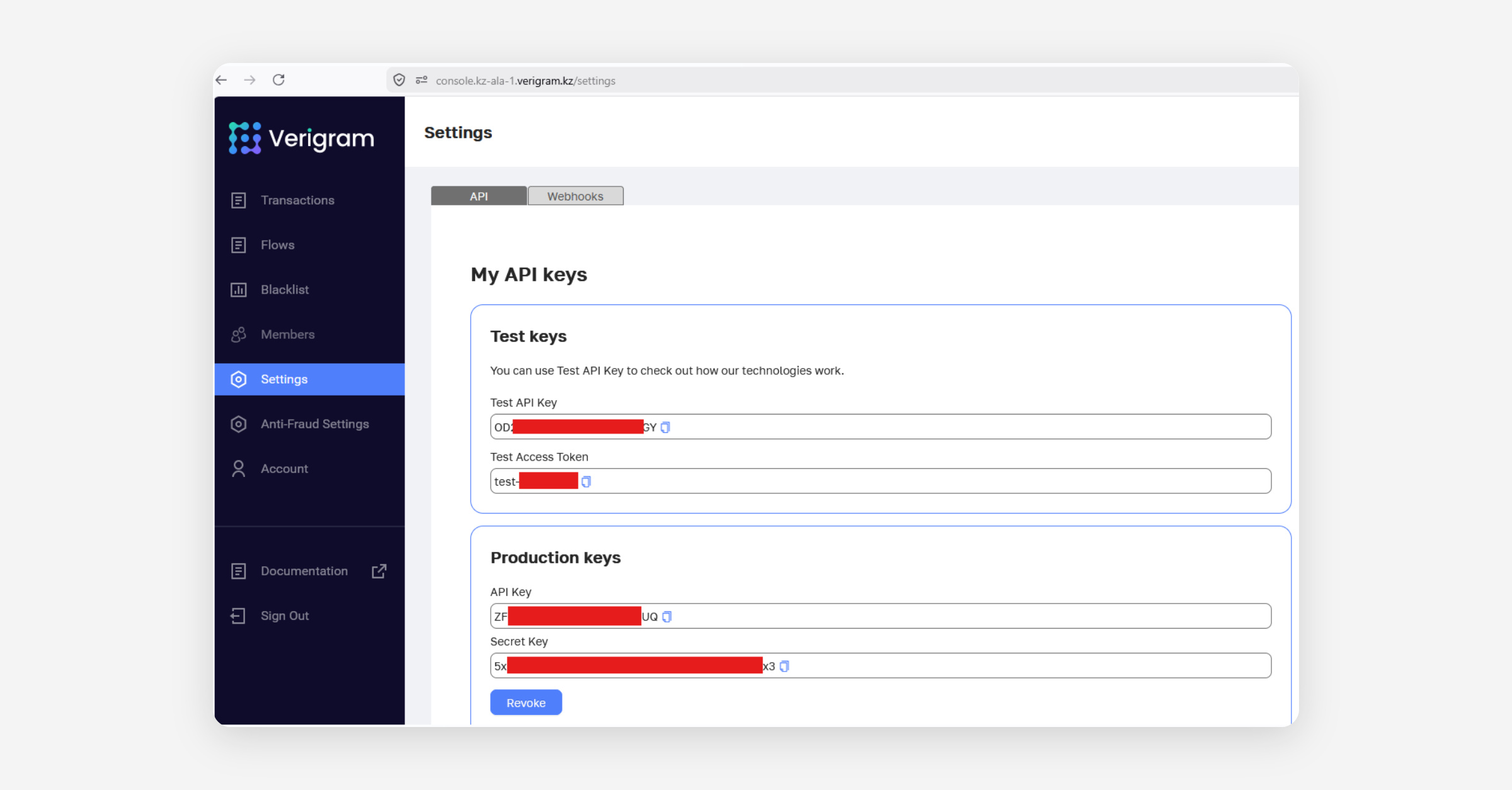
Never transmit the
API Secretin request headers. It should be stored only on your server. Use theAPI Keyfor identification.
How to create a signature (HMAC-SHA256)
The signature is created based on two elements: your API Secret (as the key) and the string to sign (Message).
Forming the string to sign
Combine the current time (timestamp in seconds) and the request path (URI), starting with a slash
/.Format:
{Timestamp}{Request path with parameters}Example 1: URL: https://abc.com/path/to/resource, timestamp: 1652360077, string to sign:
1652360077/path/to/resourceExample 2: URL: https://abc.com/path?key1=value1&key2=value2, timestamp: 1676003122, string to sign:
1676003122/path?key1=value1&key2=value2
Hashing
Hash the resulting string using the HMAC-SHA256 algorithm with your
API Secret, and convert the result to a Hex string (lowercase).⏱ Validity period: The generated signature is valid for exactly 1 minute. Make sure your server has time synchronization (NTP) configured.
Required request headers
Each request must contain the following HTTP headers:
Header | Description | Example |
|---|---|---|
| API version |
|
| Your API key |
|
| The signature |
|
| Exactly the same Timestamp as in the signature string |
|
If validation fails, the server will return a 401 Unauthorized error:
Invalid timestamp— the signature has expired (check the clock on your server).Invalid API key— incorrectX-Verigram-Api-Key.Invalid signature— the request data does not match the string used to generate the signature.
Python Implementation Example
import hmac
import hashlib
import requests
from datetime import datetime

# 1. Authentication data
API_KEY = "your-api-key"
API_SECRET = "your-api-secret"
API_HOST = "https://REPLACE_WITH_API_HOSTNAME"

# 2. Form request parameters
path = "/flow"
ts = str(int(datetime.now().timestamp()))

# 3. Assemble the string and create the signature (Hex string)
signable_str = f"{ts}{path}"
signature = hmac.new(
    API_SECRET.encode("utf-8"),
    msg=signable_str.encode("utf-8"),
    digestmod=hashlib.sha256
).hexdigest()

# 4. Set up headers
headers = {
    "X-Verigram-Api-Version": "2.0.0",
    "X-Verigram-Api-Key": API_KEY,
    "X-Verigram-Hmac-SHA256": signature,
    "X-Verigram-Ts": ts
}

# 5. Send POST request
response = requests.post(f"{API_HOST}{path}", headers=headers)
print(response.status_code, response.json())
JavaScript / Node.js Implementation Example
import crypto from 'crypto';

// 1. Authentication data
const API_KEY = "your-api-key";
const API_SECRET = "your-api-secret";
const API_HOST = "https://REPLACE_WITH_API_HOSTNAME";

async function makeAuthenticatedRequest() {
    try {
        // 2. Request parameters
        const path = "/flow";
        const timestamp = Math.floor(Date.now() / 1000).toString(); // Time in seconds

        // 3. Assemble the string and create the signature (Hex)
        const signableStr = `${timestamp}${path}`;

        const signature = crypto
            .createHmac('sha256', API_SECRET)
            .update(signableStr)
            .digest('hex'); // Automatically outputs lowercase Hex string

        // 4. Set up headers
        const headers = {
            'Content-Type': 'application/json',
            'X-Verigram-Api-Version': '2.0.0',
            'X-Verigram-Api-Key': API_KEY,
            'X-Verigram-Hmac-SHA256': signature,
            'X-Verigram-Ts': timestamp
        };

        // 5. Send POST request
        const response = await fetch(`${API_HOST}${path}`, {
            method: 'POST',
            headers: headers
        });

        const result = await response.json();

        console.log(`Status Code: ${response.status}`);
        console.log('Response:', result);

    } catch (error) {
        console.error('An error occurred while sending the request:', error);
    }
}

makeAuthenticatedRequest();
Troubleshooting the "Invalid timestamp" error
Run the following command in your Linux terminal to check the time difference between your server and world time:
date -u --rfc-3339=ns; nc time.aws.com 13If you notice a significant time difference, configure the chrony or ntpd time synchronization service on your server, specifying time.aws.com as the NTP server.
Was this helpful?