
UI customization
Customizing the interface with CSS
Starting from version 2.1.19, Verilive SDK supports passing custom CSS styles to change the appearance of screens.
To apply styles, you need to pass a CSS string through the cssString parameter when starting the SDK:
const nonce = await instance.start({
    sessionId,
    flowId,
    accessToken,
    personId,
    language,
    baseUrl,
    attemptsLeft,
    onRetry,
    cssString, // new parameter for styling
});
Changing the start screen
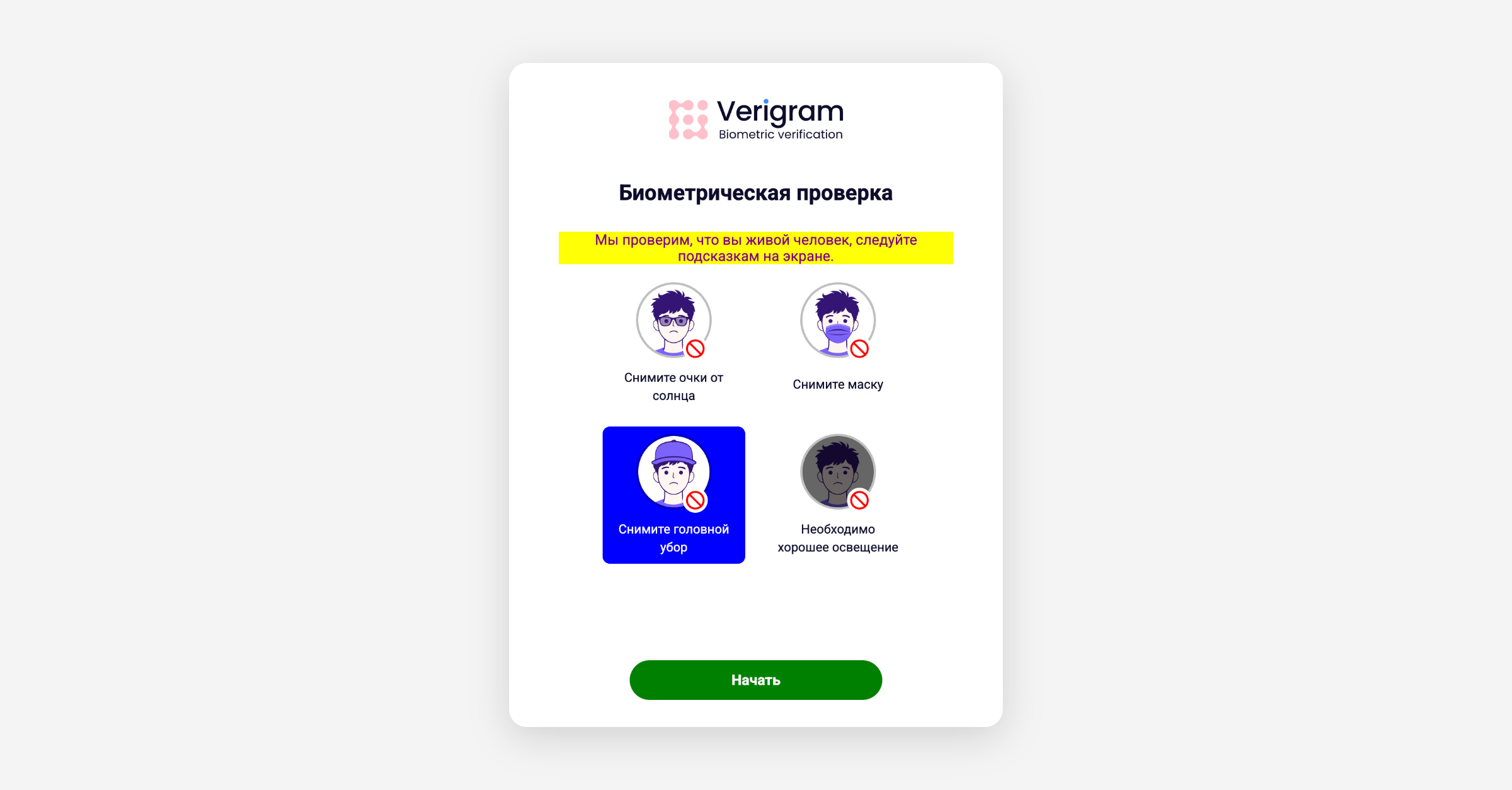
Example of customizing the start screen:
const cssString = `
.verilive-start__logo svg path:first-of-type {
    stroke: pink;
    fill: pink !important;
}
.verilive-start__hint:nth-child(3) .verilive-start__hint-text {
    color: white;
}
.verilive-start__hint:nth-child(3) {
    background: blue;
}
.verilive-start__subtitle {
    color: purple;
    background: yellow;
}
.verilive-button.verilive-button--primary {
    background: green;
}
`;
In this example:
the logo color is changed;
the design of one of the informational hint blocks is changed;
the color and background of the subtitle are changed;
the color of the main action button is changed.
Changing the retry screen
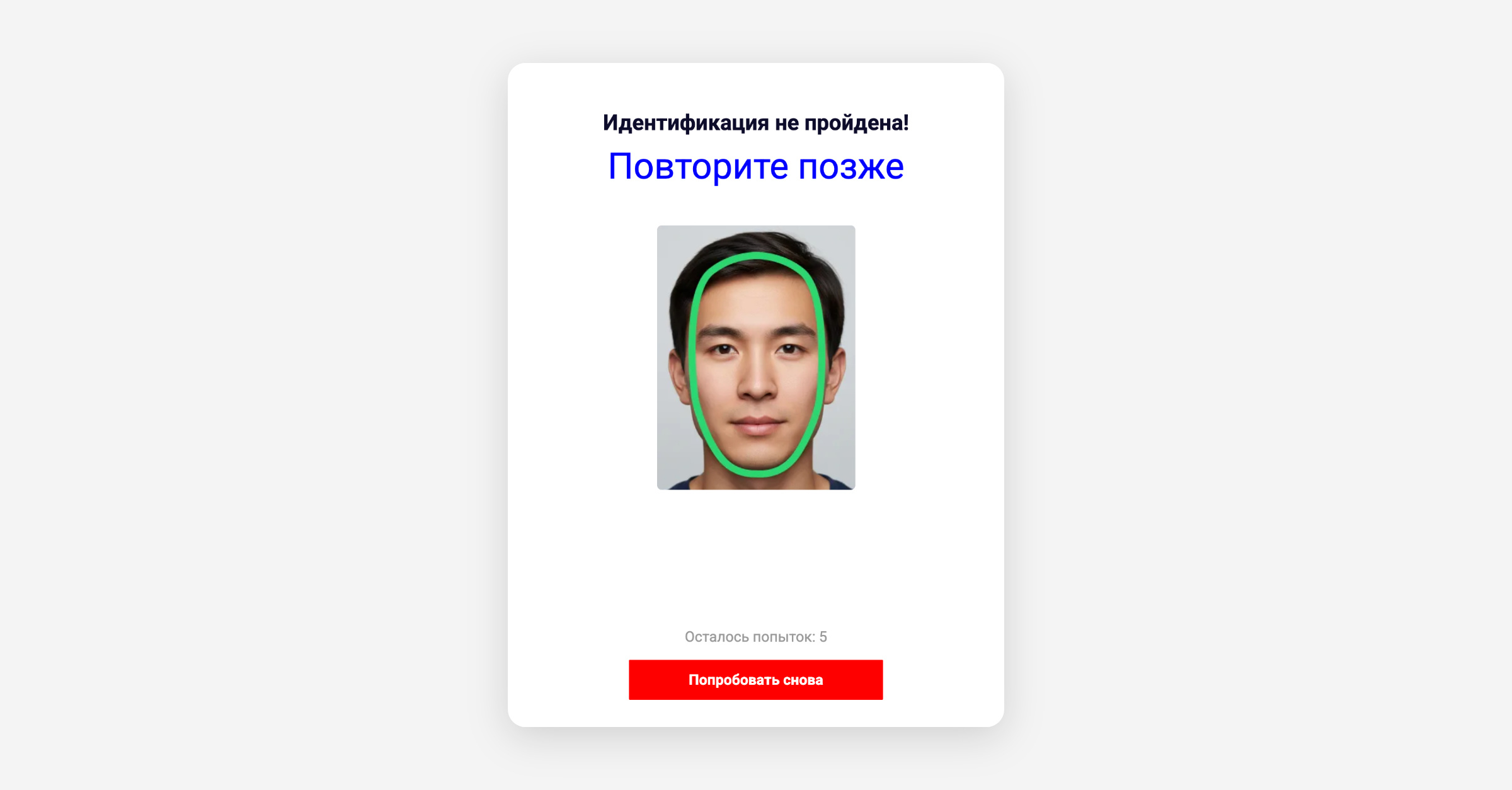
Example of customizing the failed check screen:
const cssString = `
.verilive-page__subtitle {
    font-size: 40px;
    color: blue;
}
.verilive-button.verilive-button--primary {
    border-radius: 1px;
    background: red;
}
.verilive-failed__comparison-image:first-child {
    display: none;
}
`;
In this example:
the size and color of the title are changed;
the design of the main button is changed;
the first image from the comparison block is hidden.
Changing the final screen
Example of customizing the successful check screen:
const cssString = `
.verilive-page.verilive-succeeded {
     background-image: url('https://voda.love/wp-content/uploads/2020/11/328578.jpg');
     background-size: cover;
     background-position: center;
     background-repeat: no-repeat;
}
.verilive-page__title {
     font-style: italic;
     font-size: 42px;
     font-weight: 100;
}
.verilive-button.verilive-button--primary {
     background-color: #4a90e2;
     color: #1fff9f;
     border-radius: 50px;
}
`;
In this example:
the background image of the screen is changed;
the design of the title is changed;
the design of the button is changed.
Using !important
Some SDK styles may have higher priority. If a style is not applied despite a correct CSS selector, it is recommended to use the !important rule.
Example:
.verilive-button.verilive-button--primary {
    background: green !important;
}
Using standard CSS
The cssString parameter accepts plain CSS. Preprocessor constructs (SCSS/Sass) are not supported.
For example, instead of:
.verilive-failed__comparison-image {
    &:first-child {
        display: none;
    }
}
you need to use:
.verilive-failed__comparison-image:first-child {
    display: none;
}
Was this helpful?